How to make a personalized storybook, step by step
Tap each step to see the real screen. About five minutes, and no writing or drawing skills needed.
Creating the story
Step 1 of 6
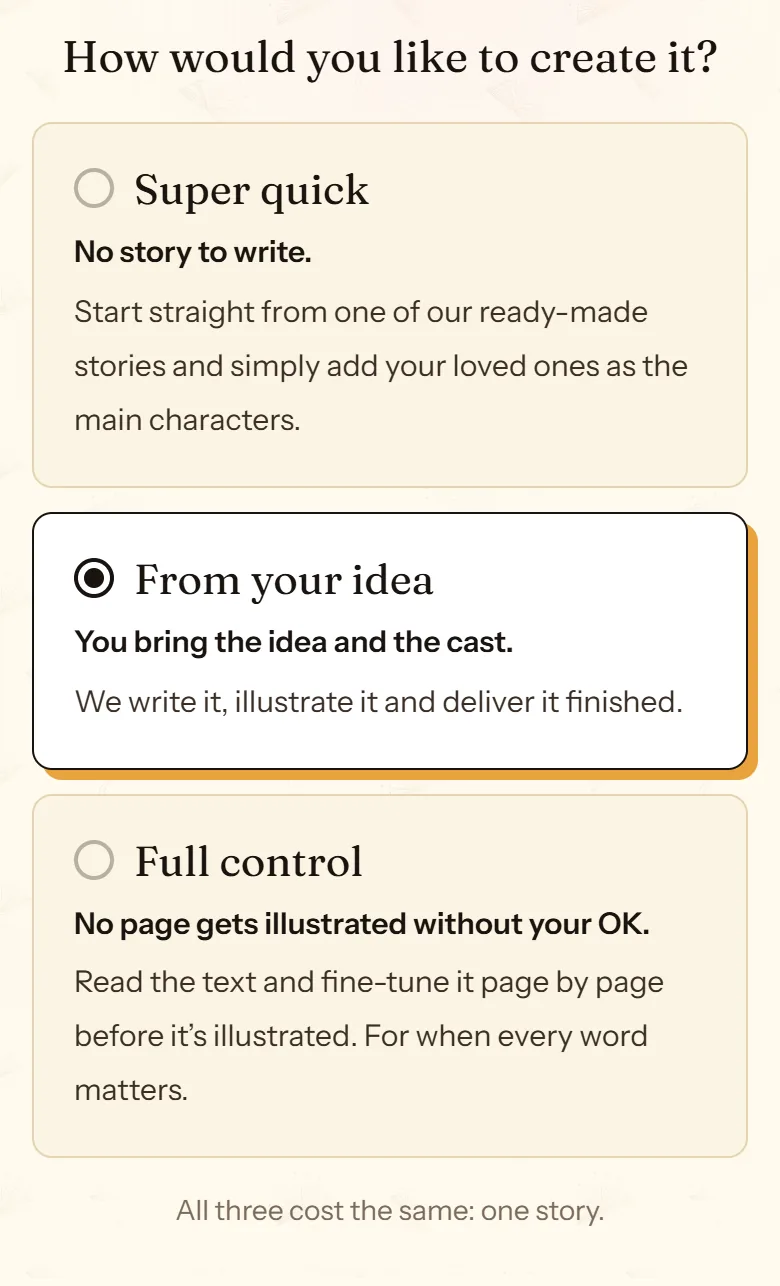
Choose how you want to create it
At /create you pick one of three modes. Super quick recreates one of the free stories with your characters, so there is no story to write. From your idea is the classic route: you share the idea and the story arrives written and illustrated. Full control lets you read and edit the text before anything is illustrated.
All three cost the same: one story.
Step 2 of 6
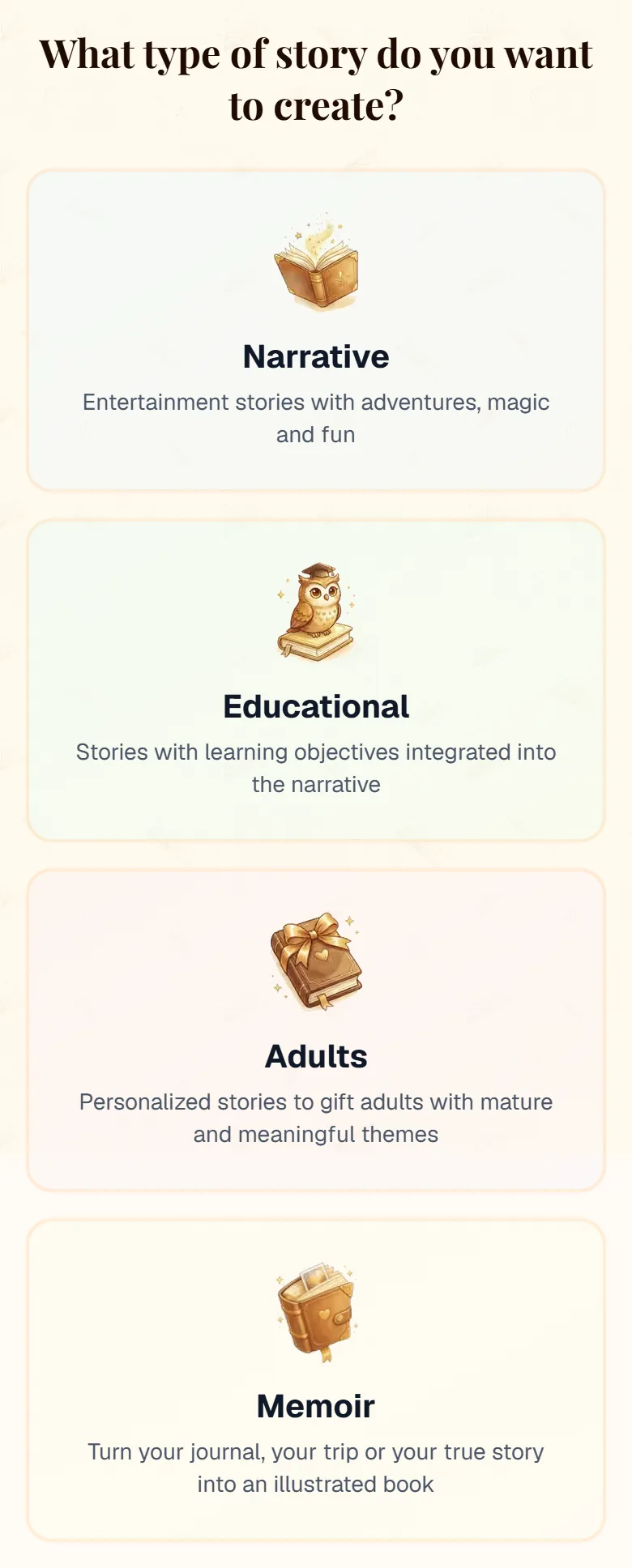
Choose the story type and the look
A children’s story, an educational one, a story for adults or a memoir. Then the theme, the book type for the reader’s age, the number of pages (12 to 24) and one of 25 illustration styles. Everything is picked from cards.
Each scene fills a double page: 24 pages means 12 illustrated scenes.
Step 3 of 6
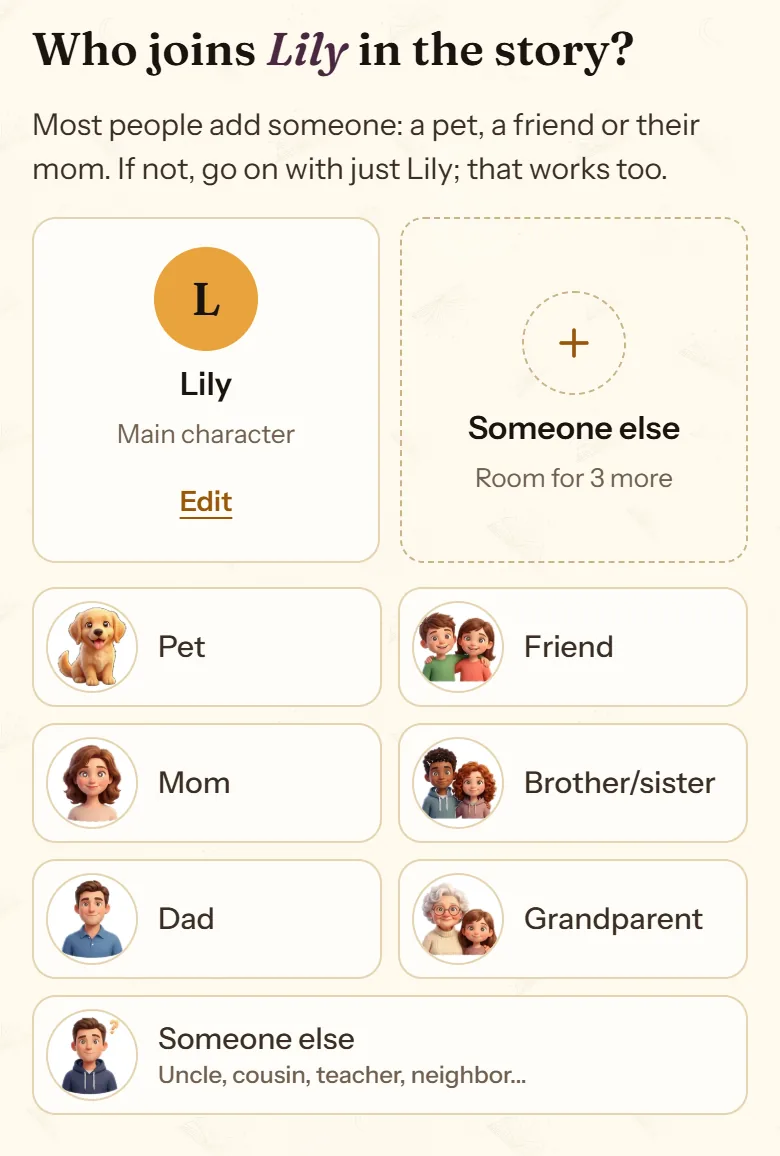
Add the characters
The main character and up to three more: family, friends, a pet, or storybook characters like Red Riding Hood or Merlin. For each one you upload a photo or build a 3D avatar. If you like, you can also choose where the story happens.
The photo is only used to draw the portrait, and the original is deleted when the story is finished.
Step 4 of 6
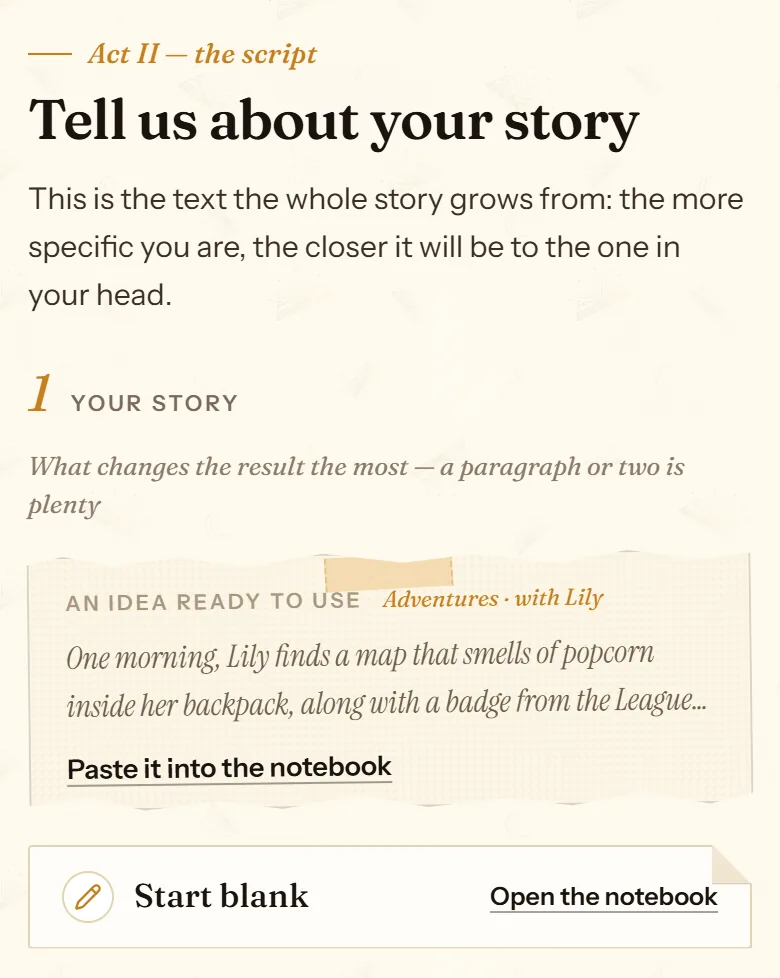
Say what the story is about
What happens, what the main character loves, what you want them to take away from it. If you are stuck, cuentosIA offers an idea ready to use, built from your theme and your cast.
In a memoir, this is where you paste your own text, up to 1,000 words.
Step 5 of 6
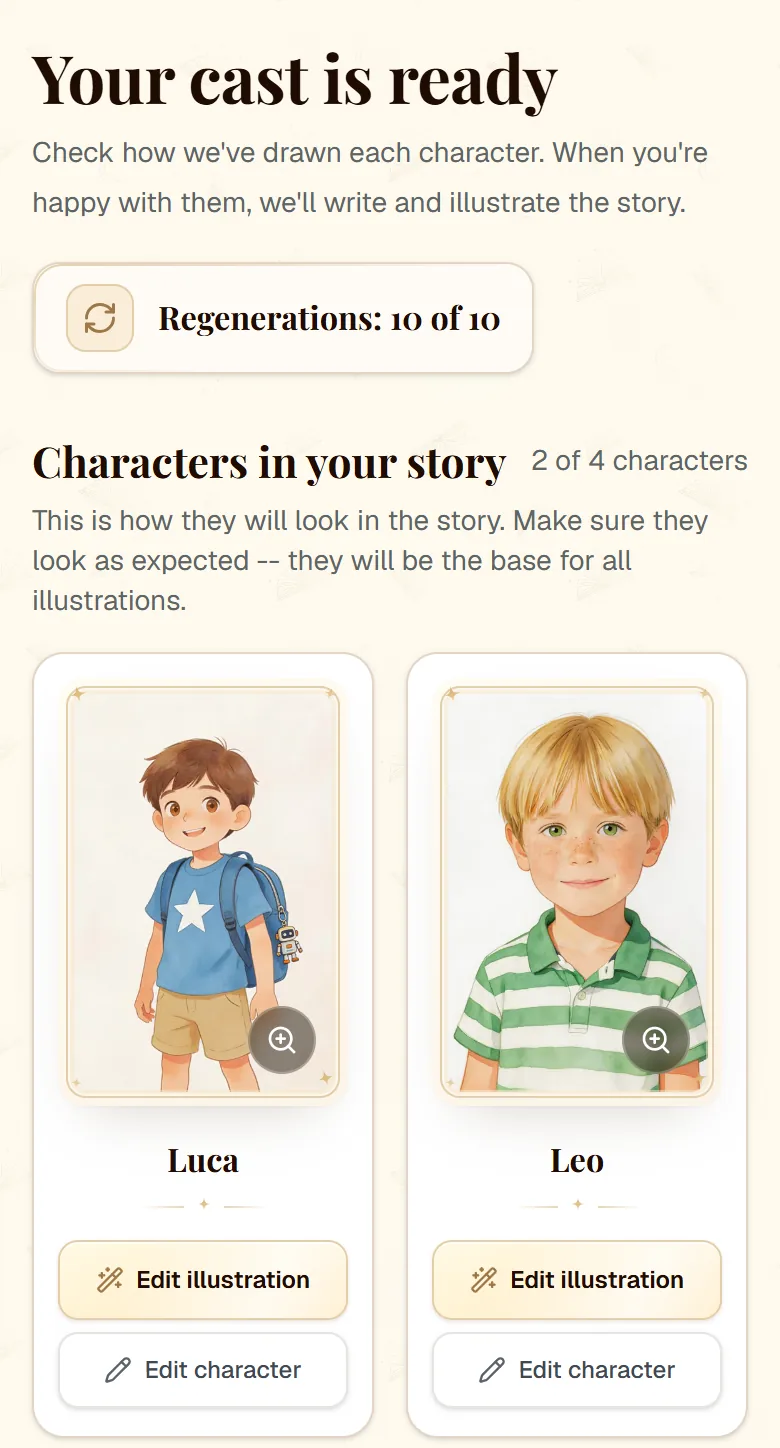
Review the portraits and start the story
cuentosIA draws each character in the story’s style so you can see how they will look, and anything you don’t like can be changed. When you are happy with them, press the button and the story is written and illustrated. You can close the page: an email lets you know when it is ready.
With Full control, you review the text and edit it before anything is illustrated.
Step 6 of 6
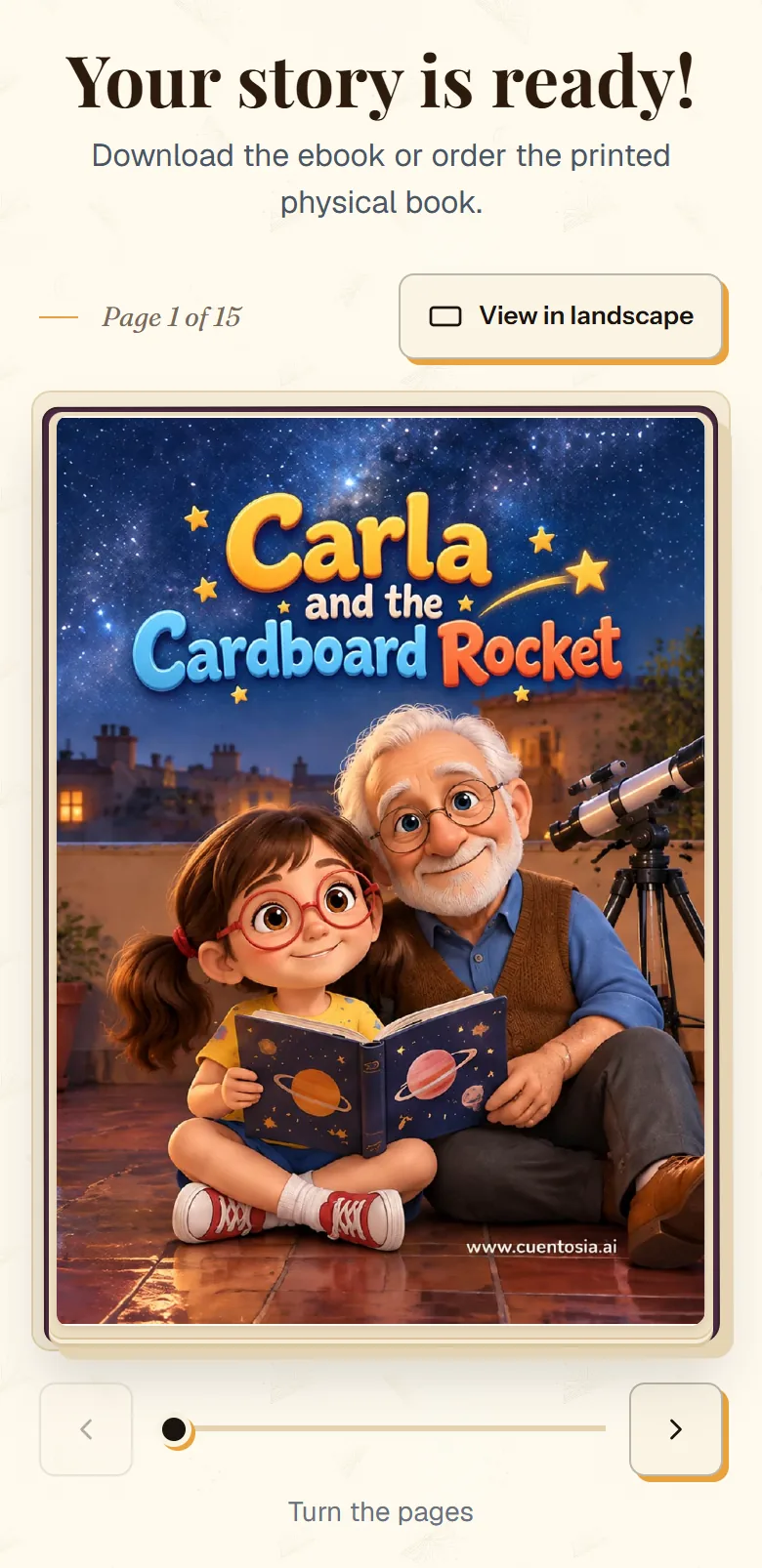
Your story, ready
Read it on screen and turn the pages, download the PDF, listen to it narrated (just the first page in the free gift story) and, if you like, order it printed in hardcover or softcover.
Want to see the result before you start? The free stories are real stories made this way.
Once it is ready
Everything is changed from the editor, in My stories. Each story comes with 10 regenerations (5 for the trial story); writing and going back to an earlier version use none.
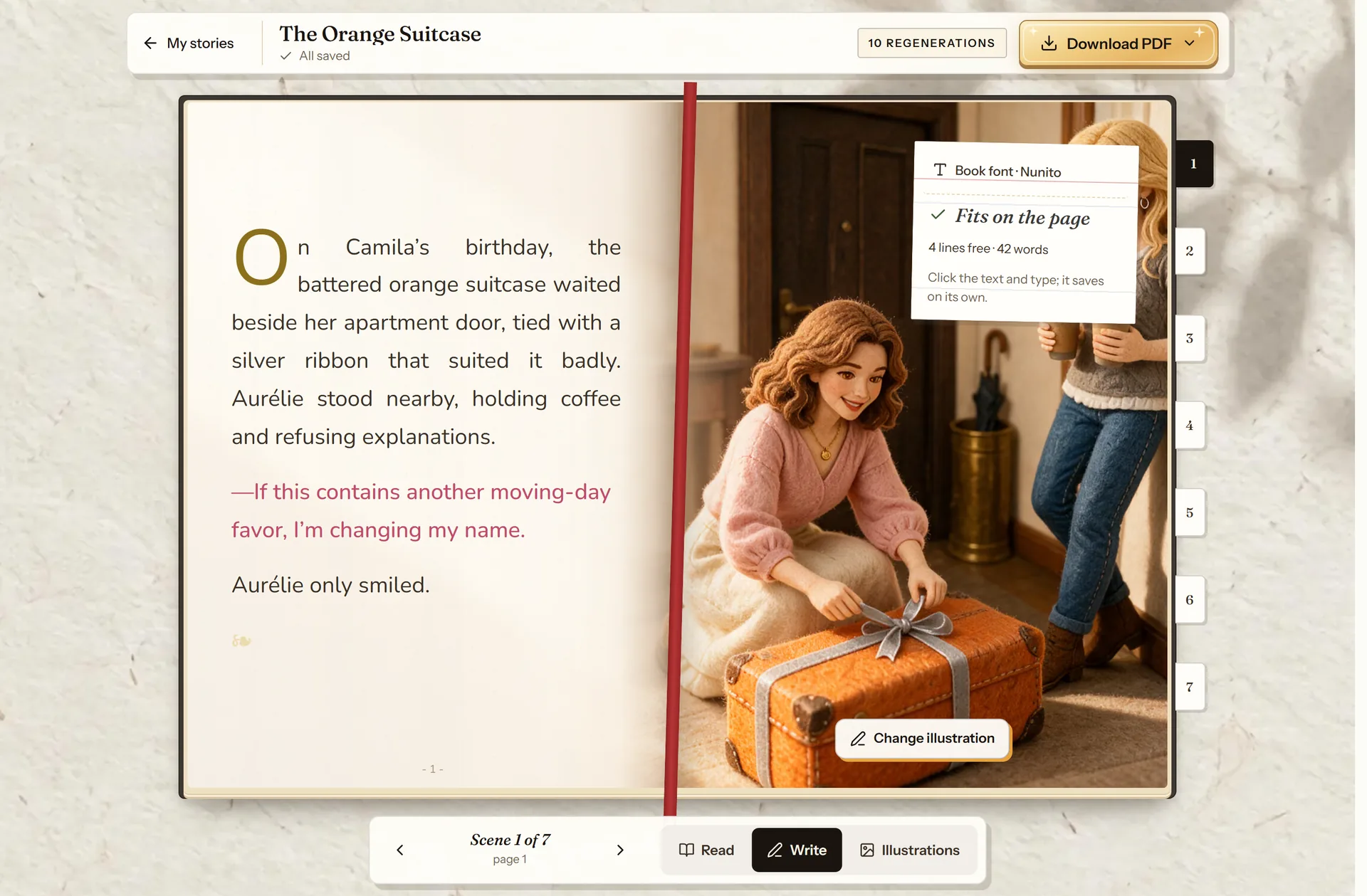
- The meter: whether it fits and how many lines are free.
- Read, Write or Illustrations.
- “Update PDF” with your changes.
- Jump to any scene.
Change the text
Free- Tap any page and type; it saves on its own.
- A meter warns you if the text doesn’t fit.
- Change the font for the whole book or for one passage.
- If you leave without updating the PDF, it updates itself.
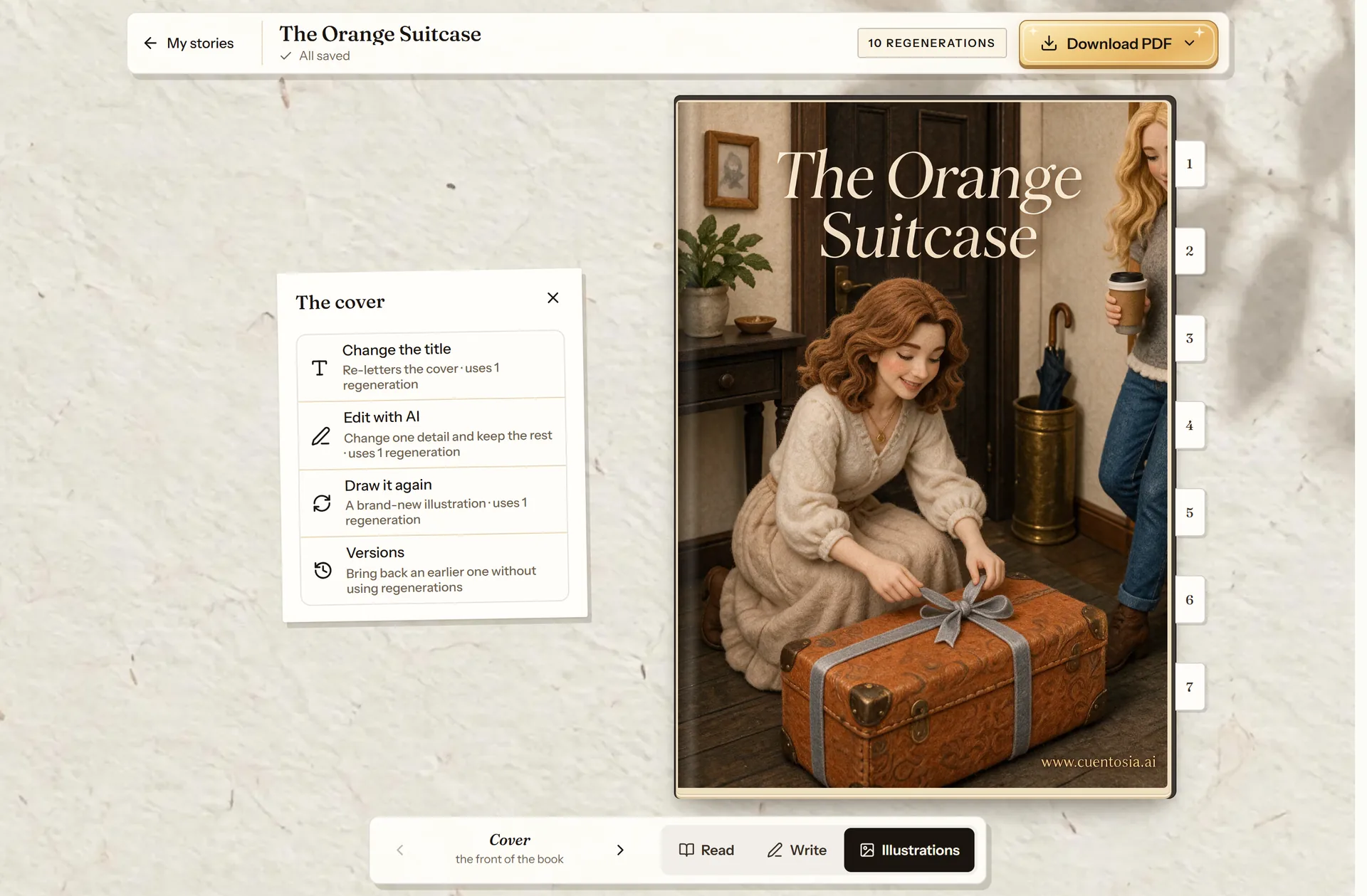
- Change the title.
- Edit with AI.
- Draw it again.
- Earlier versions, free.
Change the cover
1 regeneration per change- A new title without redrawing the cover.
- A touch-up with AI, or a new cover from scratch.
- Going back to an earlier one in “Versions” is free.
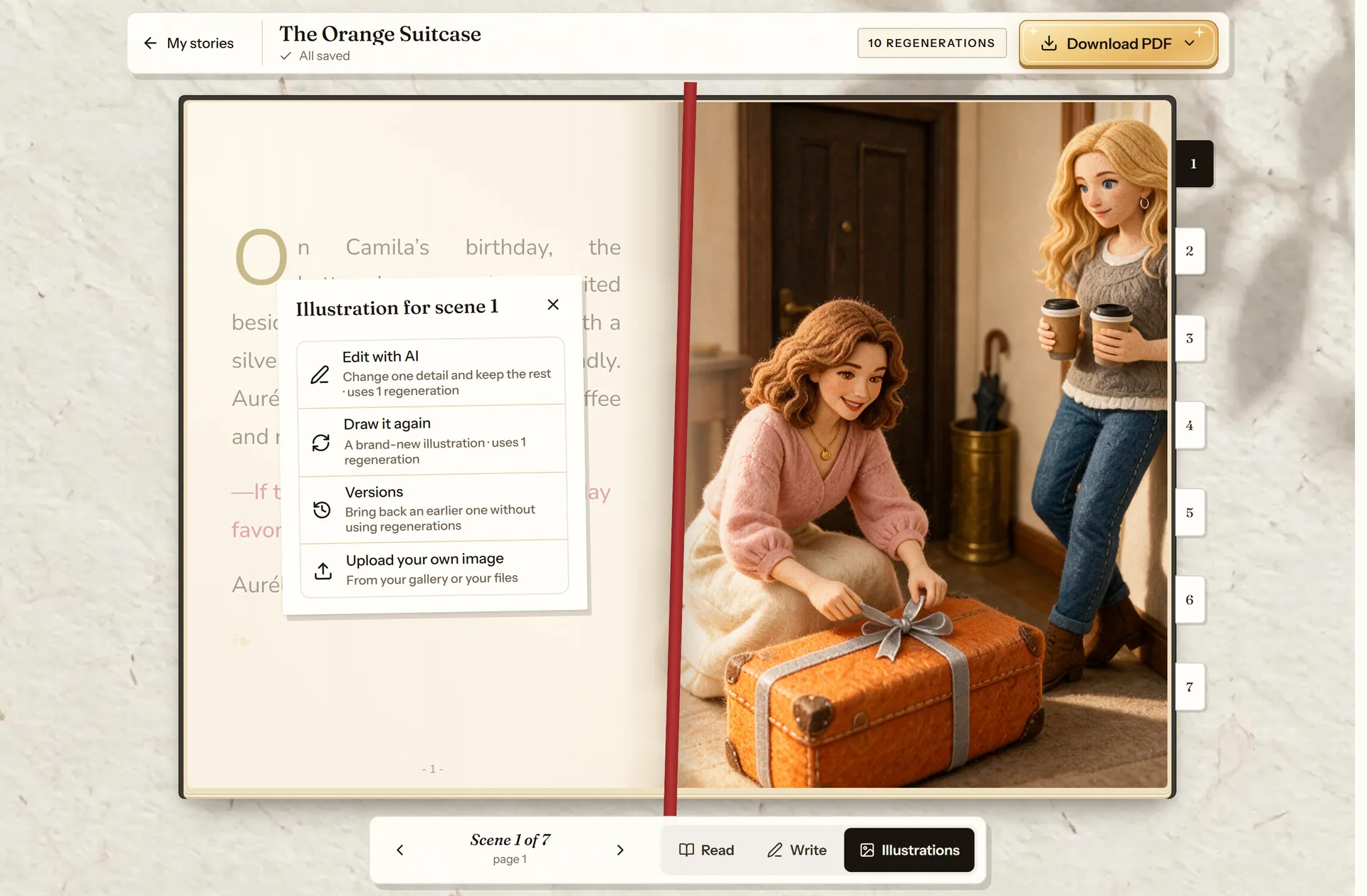
- Edit with AI: one detail.
- Draw it again: a new scene.
- Versions: go back to an earlier one, free.
- Upload your own image, free.
Change an illustration
1 regeneration per change- “Edit with AI” changes one detail and keeps the rest.
- “Draw it again” makes a new scene, and you choose who is in it.
- Uploading your own image and going back to an earlier version are free.
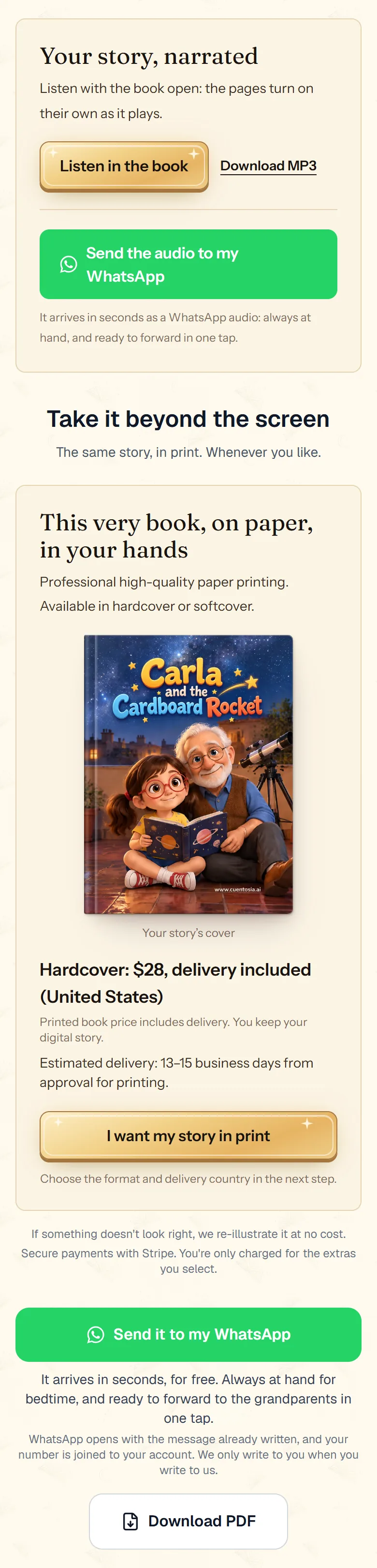
Download, print and more
- The A4 PDF, or the A5 booklet to print at home.
- The printed story, in hardcover or softcover.
- The narration, in the book or as an MP3.
- Another language, or a sequel.
Every page of the guide
- Creation modesSuper quick, From your idea or Full control: how they differ and when each one makes sense.
- Type, format and styleA children’s story, an educational one, a story for adults or a memoir; how many pages it has and how it is drawn.
- CharactersWho is in it, with a photo or a 3D avatar, and how to review their portraits before the story is created.
- PlacesUp to four places: from the catalog, a real place in the world or a place of their own, with a photo if you like.
- The storyWhat to write so the story turns out the way you imagine it, the text settings and the personal touch.
- MemoirsYour journal, a trip or a family story turned into an illustrated book, in your own words.
- Review the textWith Full control you read the story page by page, edit it, and only then is it drawn.
- Edit the textType right on the page, check that it fits, change the font and go back if you change your mind.
- The coverA new title without redrawing it, touch-ups with AI, a new cover from scratch or the one you had before.
- The illustrationsOne detail with AI, the scene drawn again, an image of your own or an earlier version.
- Download and printThe PDF, the printed story, the narration, another language and a sequel.
Frequently asked questions
How long does it take to make a story?
About five minutes from the moment you press the button, in Super quick and From your idea. In Full control the text arrives first, and the illustrations start once you confirm you like it.
How much does it cost?
When you sign up, your first story is free: a 12-page illustrated gift story, no card needed. After that, every story costs the same in all three modes. Prices in your currency are on the pricing page.
Can I change things once it’s finished?
Yes. You can change the text for free, as many times as you want. Each story comes with 10 regenerations (5 in the free gift story) to redraw illustrations or the cover, and going back to an earlier version uses none.
Do I need to be good at writing or drawing?
No. A few lines about your idea are enough, and if nothing comes to mind, cuentosIA suggests an idea ready to use. The illustrations come out in the style you choose.
Now you know how. Time for yours
All three modes cost the same: one story. If you get stuck on a step, this guide is still here.
Create my story