Change an illustration
One detail with AI, the scene drawn again, an image of your own or an earlier version.
In the editor, in “Illustrations” mode, tap the scene you want to change and choose “Change this illustration”. A real before and after is on edit your story.
The four options
- Edit with AI: changes one detail and keeps the rest.
- Draw it again: a brand-new illustration from scratch.
- Upload your own image: from your gallery or your files.
- Versions: brings back an earlier one.
The first two use 1 regeneration each time and take about a minute, and you can keep working on other pages in the meantime. The other two are free.
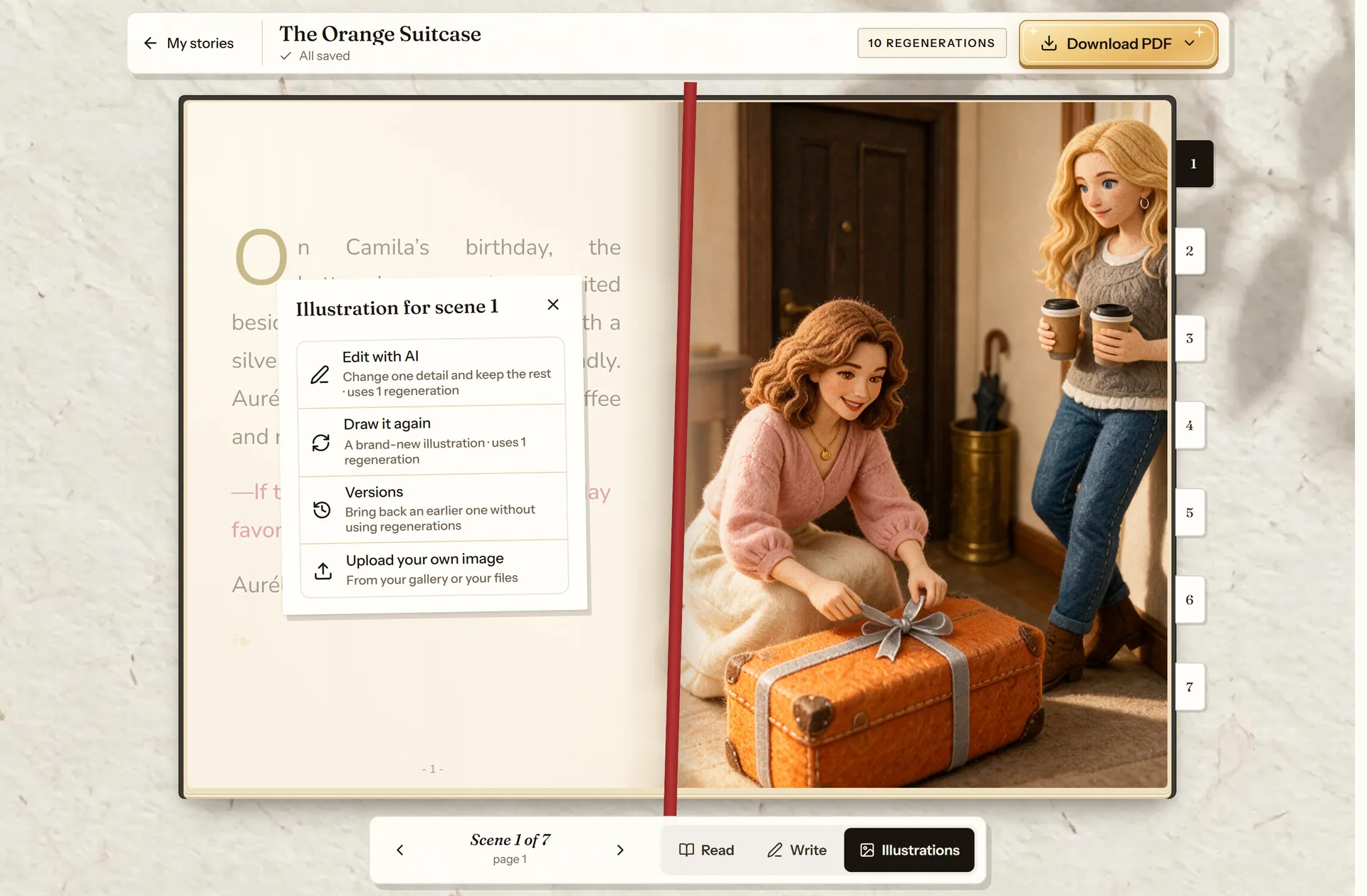
- Edit with AI: one detail.
- Draw it again: a new scene.
- Versions: go back to an earlier one, free.
- Upload your own image, free.
Edit with AI: one detail
Describe only the change (tie her hair back, make the table wooden). The scene, the style and the characters stay the same. It can’t add characters or new photos: to bring in another character, use “Draw it again”.
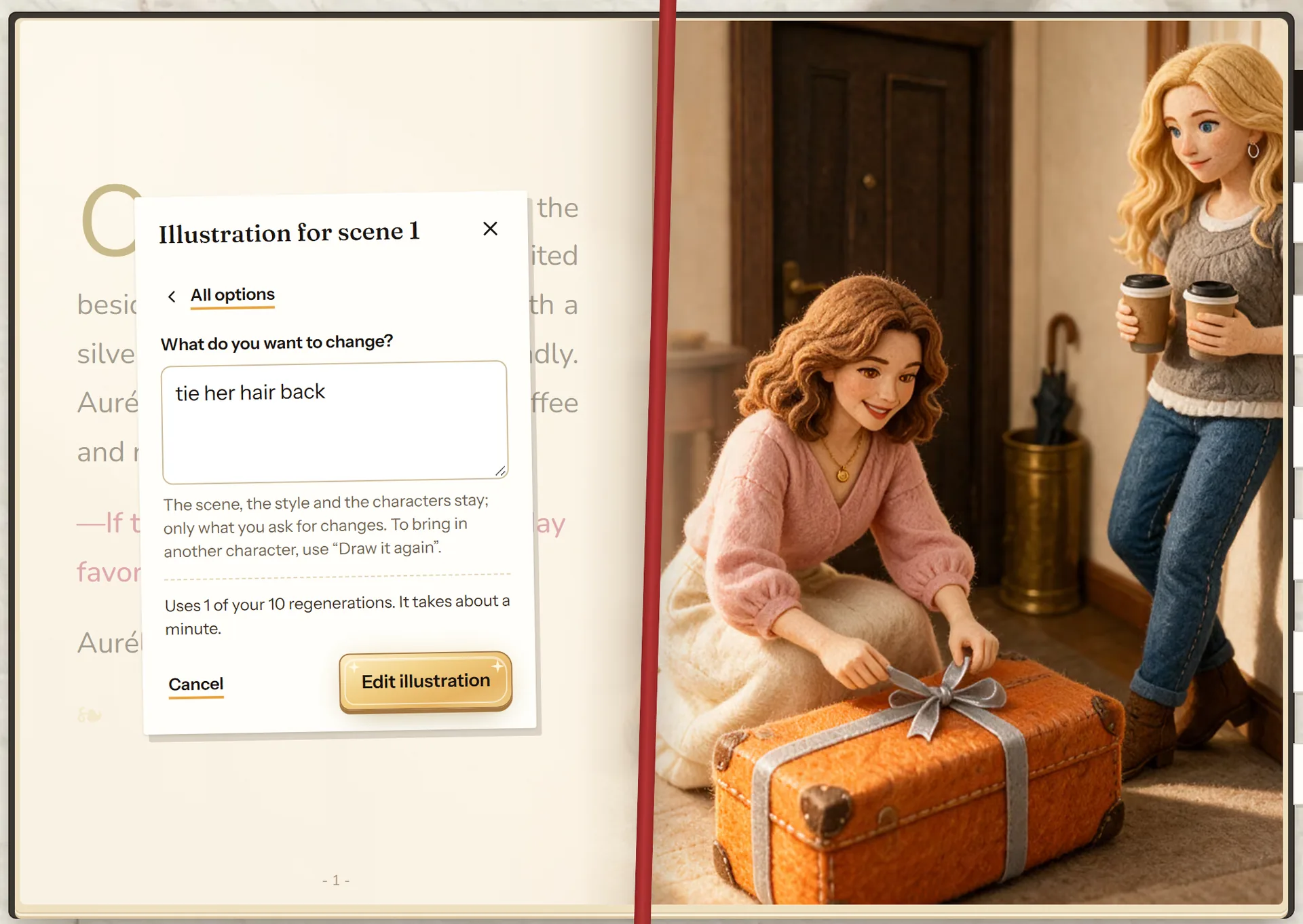
- Describe only the change.
- Uses 1 regeneration and takes about a minute.
- “Edit illustration” starts it.
Draw it again: a new scene
This draws a brand-new illustration. In “What would you like to change? (optional)” you can ask for something different (put them in the kitchen and bring the dog in too) or leave it blank to see the same scene drawn a different way. Check “Match the text on this page” if you changed the text and want the drawing to follow it. In “Characters in this scene” you choose who appears.
Only the story’s characters look like their portraits.
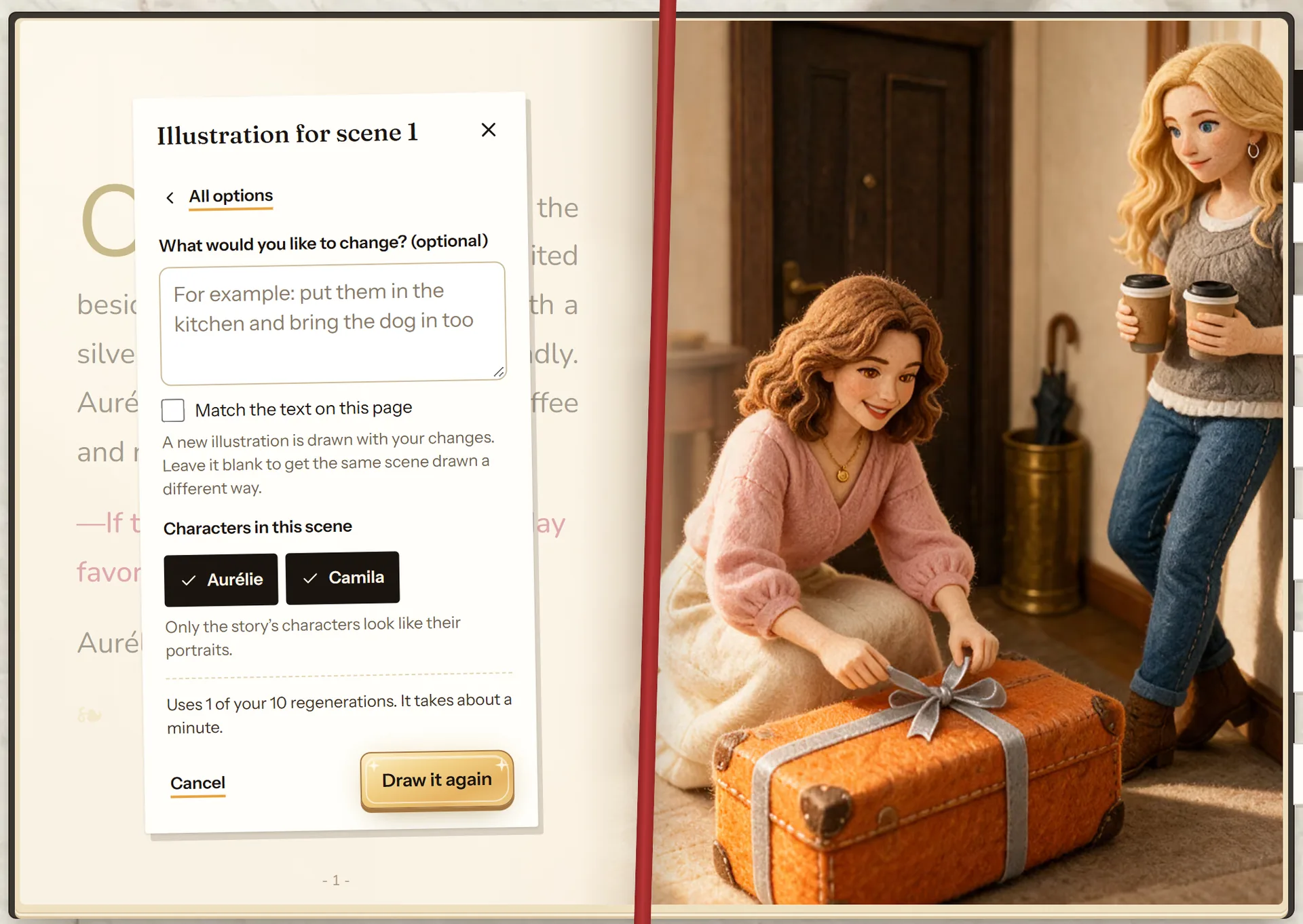
- What you want changed, or nothing.
- Make it follow the text on the page.
- Who appears in the scene.
- “Draw it again” starts it.
If you don’t like it
The previous illustration stays in “Versions”, and going back to it is free. Each story comes with 10 regenerations (5 in the free gift story), and for a story you bought you can add a pack of 10 more. If an illustration doesn’t look like them, cuentosIA redraws it at no cost: write through Contact.
Frequently asked questions
What if a character doesn’t look like them?
Try “Edit with AI” with whatever is off (make his hair shorter). If it still doesn’t look like them, write through Contact and it is redrawn at no cost.
Can I put my own photo on a page?
Yes, with “Upload your own image”. That page shows your image instead of the illustration.
More about this
Rewrite the text and redo the illustrations
Writing the text yourself is unlimited and costs nothing. The 10 regenerations per story are only for what the AI generates.
See how it works: Rewrite the text and redo the illustrationsThe same character in every illustration
The problem with almost every image generator: the main character changes face between pages. Not here, and you can check it across a whole story.
See how it works: The same character in every illustration
Now you know how. Time for yours
All three modes cost the same: one story. If you get stuck on a step, this guide is still here.
Create my storyBack to the guide