The three ways to create a story
Super quick, From your idea or Full control: how they differ and when each one makes sense.
The first thing you see at /create is the question “How would you like to create it?”. Your answer changes how much you write and when you see the text, not the price: all three modes cost one story.
The three cards
From your idea comes preselected: it is the mode almost everyone uses. You bring the idea and the cast, and the story arrives written and illustrated.
Super quick doesn’t ask you to write a story: you start from one that already exists. Full control works like From your idea, but no page is illustrated until you approve the text.
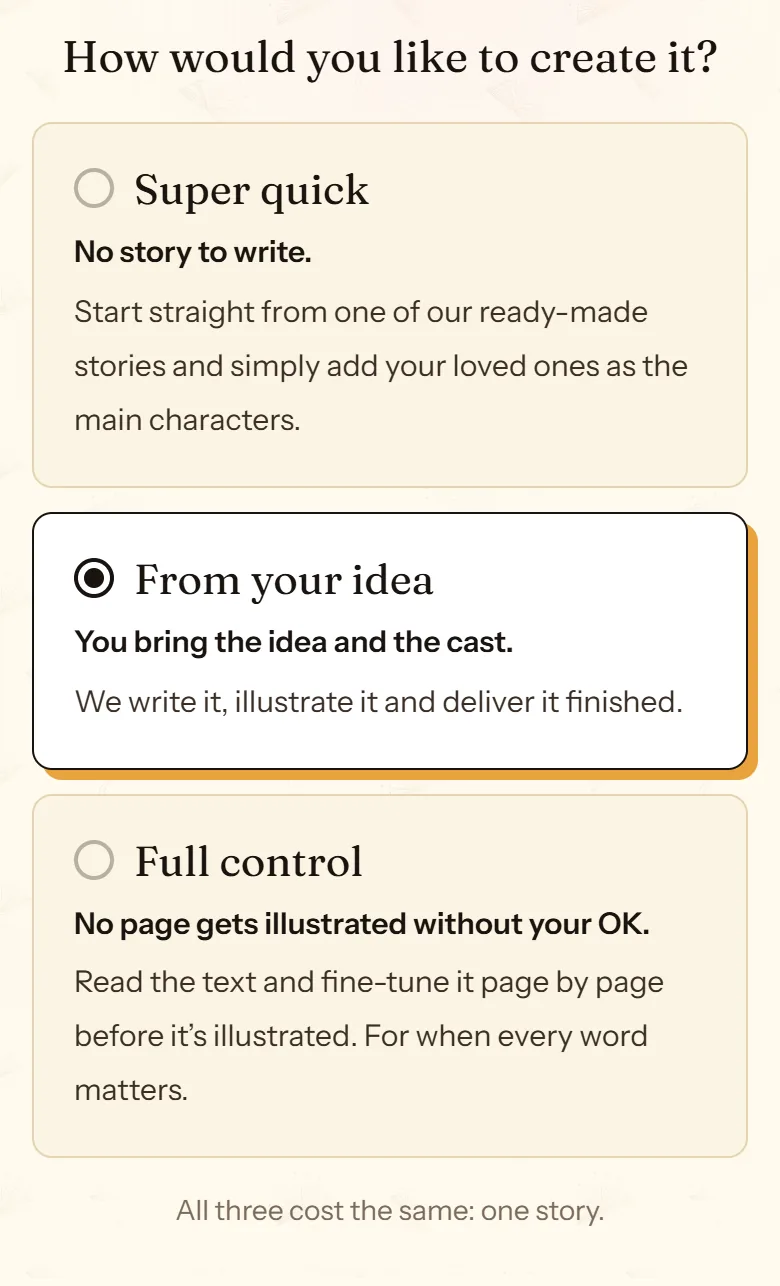
- Super quick: recreate a free story with your characters.
- From your idea: share the idea, get it written and illustrated.
- Full control: read and edit the text before it is illustrated.
Super quick: a story that already works, starring your characters
When you choose it, the screen offers two paths:
- Recreate a free story with your characters. The same story and the same scenes, starring whoever you choose. Every illustration is drawn again with your characters.
- Continue one of your stories. The same characters in a brand-new adventure. It only appears if you already have stories that can be continued.
You can also start from a free story that shows the “Make it with your characters” button.
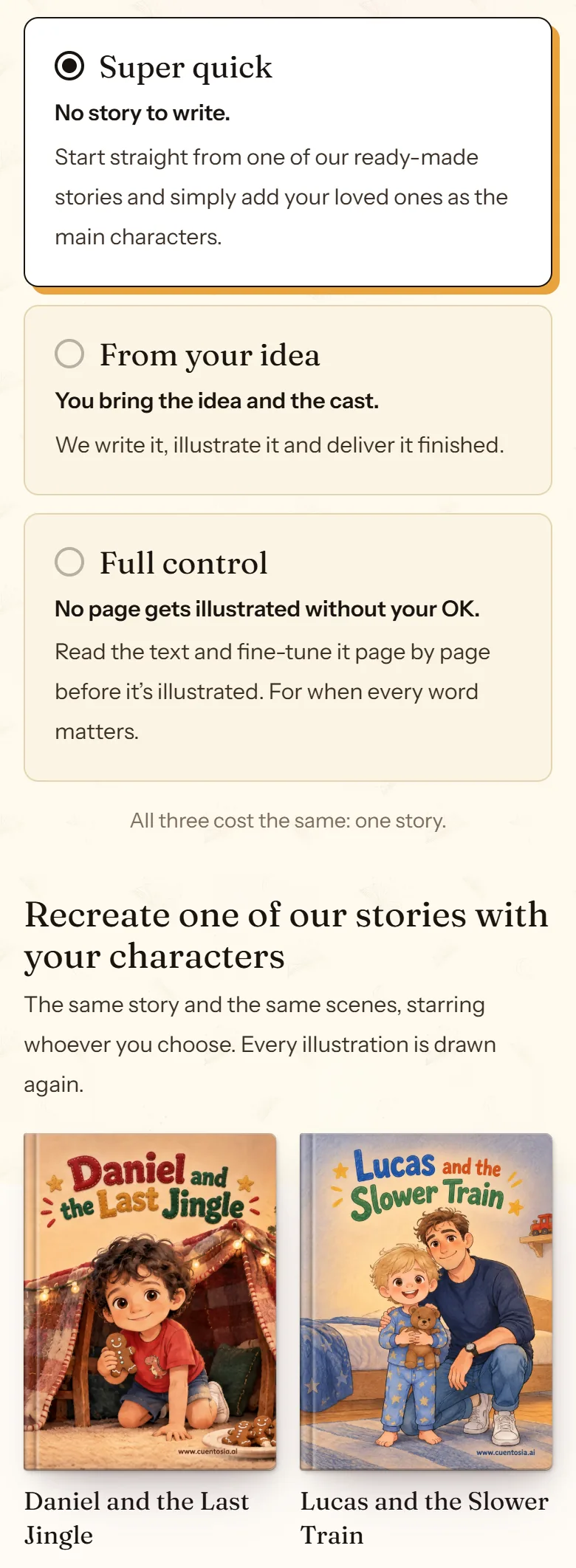
- The free stories you can recreate with your cast.
- Pick the story by its cover.
“Who’s who?”: who plays each part
When you recreate a story, each character in the original gets a block that asks who will play them. You can keep them as they are in the story, pick one of your characters, or type another name and say whether they are a he or a she and how old they are.
The story text doesn’t change: only the main characters do, with their name, gender and age. If you want a different story, choose From your idea.
After this step you upload a photo of each character or describe them with a 3D avatar, just like in the other modes.
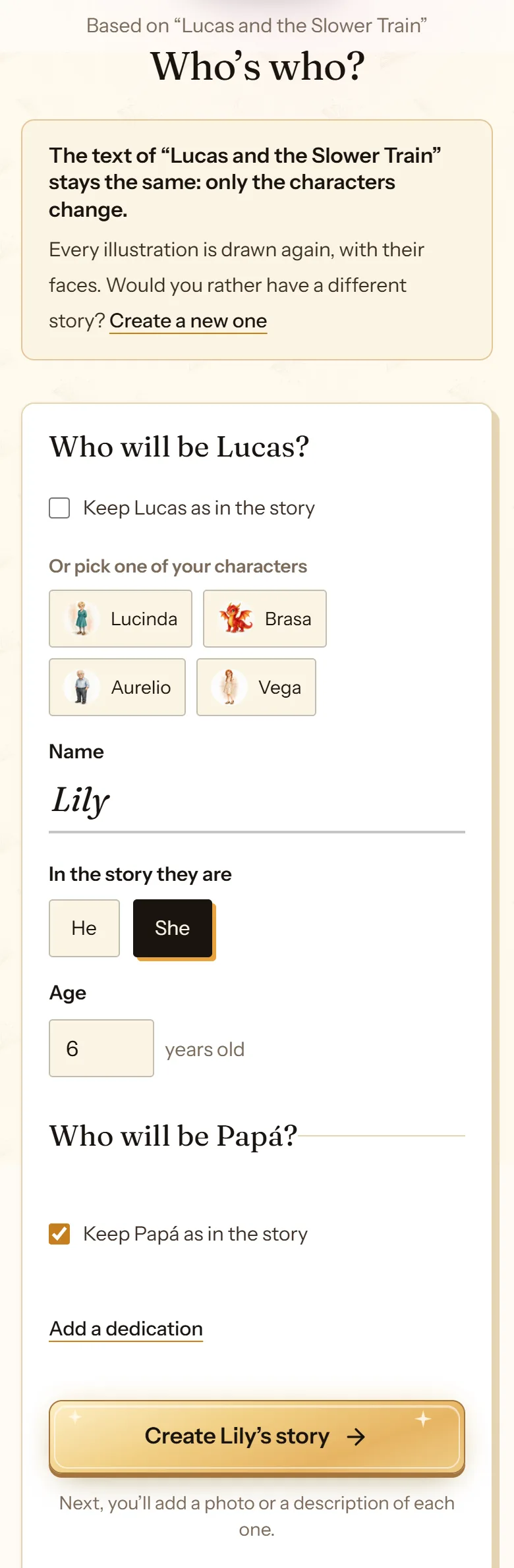
- One of your characters, already drawn, if you like.
- Or the name of whoever plays that part.
- He or she, and their age.
- With the cast set, you move on to describing them.
From your idea: the classic route
Choose the story type and the characters, and describe the idea in a few lines. cuentosIA writes the story, illustrates it and lets you know when it is ready, in about five minutes. You see the whole thing at the end, and from the editor you can change the text or any illustration.
Full control: read the text before it is illustrated
It is the same path as From your idea, with one more stop: once the text is written, you read it page by page, edit it by hand or ask for changes, and the illustrations are drawn only when you confirm. It is for when every word counts: a gift, an important dedication, a true story.
You don’t have to decide here: the portraits screen has a switch to turn it on. Review the text before it is illustrated explains how it works.
Frequently asked questions
Do all three modes cost the same?
Yes: each one uses one story.
Can I edit the text of a recreated story?
Yes, like any story: once it is done, you change the text from the editor. Change the story text explains how.
Which mode should I pick for a gift?
From your idea works for most gifts. If the story has to get something exactly right, like a family memory, an inside joke or the way a name is spelled, Full control lets you read and adjust every page first, at the same price.
More about this
The sequel to a story that already worked
If a story landed, the next one starts from it: the same characters, the same style and the same format, with a new adventure.
See how it works: The sequel to a story that already worked
Now you know how. Time for yours
All three modes cost the same: one story. If you get stuck on a step, this guide is still here.
Create my storyBack to the guide