Describing your story idea
What to write so the story turns out the way you imagine it, the text settings and the personal touch.
The “Tell us about your story” screen is the one that changes the result the most. You don’t need to write well: just say what you want to happen.
Your story
There are two ways to start: An idea ready to use, an example built from the theme and the characters you chose, which you paste into the notebook and change as you like, or Start blank. It holds 1,500 characters, and as you type, the screen tells you which details are helping.
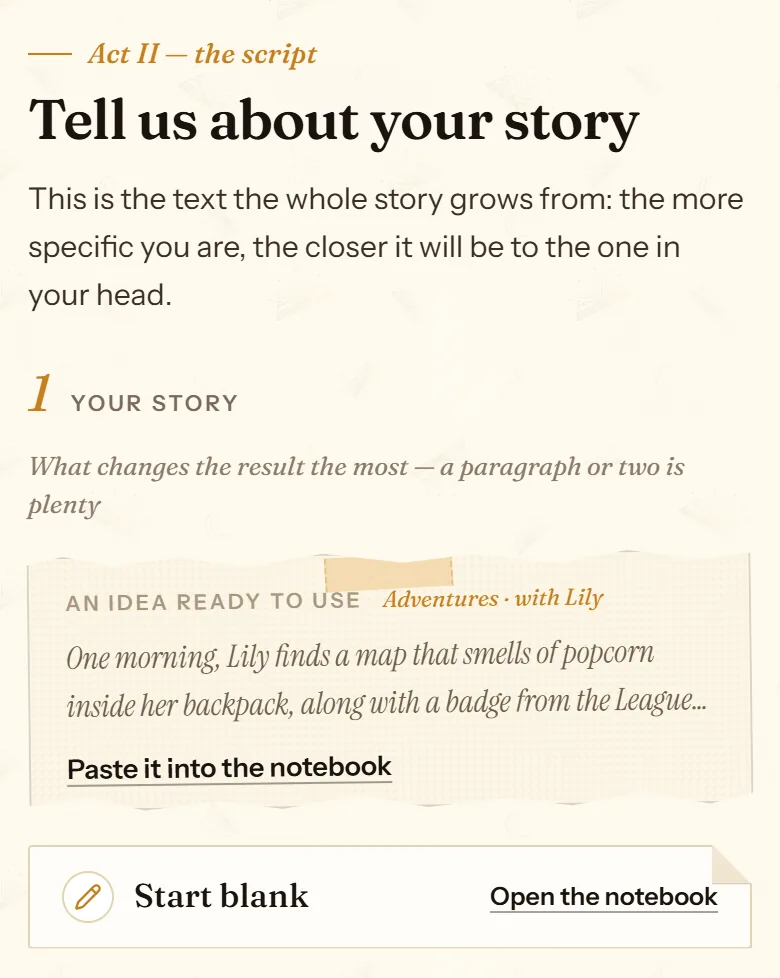
- An idea built from your theme and your cast.
- “Paste it into the notebook” to make it your own.
- Or start blank.
What to include
- What happens: the problem, the journey or the moment you want to tell.
- Real details: their favorite stuffed animal, what they call their grandma, the song you sing in the car. These are what make the story theirs.
- What you want them to take away: getting over a fear of the dark, welcoming a new baby, starting kindergarten, celebrating a birthday.
- What you don’t want: if something should stay out, say so.
If the text runs too long, the screen offers “Condense it for me”, or “Turn into a Memory book” if what you have is your own text and you want to keep it.
If it is an educational story
Instead of the open idea, the screen asks “What do you want them to learn?” and “How would you like the story to teach this?”, with suggestions to get you started. The story weaves the lesson into the adventure, and the book adds pages with the learning goals, what was learned and questions to talk about together.
The text settings
- Story language: the site’s language by default, out of 10 (English, Spanish, French, Portuguese, German, Italian, Dutch, Catalan, Basque and Galician).
- Regional variant: for English, US or UK, starting from your browser’s language. Spanish, French and Portuguese have their own variants.
- Humor tone: no humor, a few jokes or very funny.
- Reader’s age: adapts the vocabulary, the complexity and the tone.
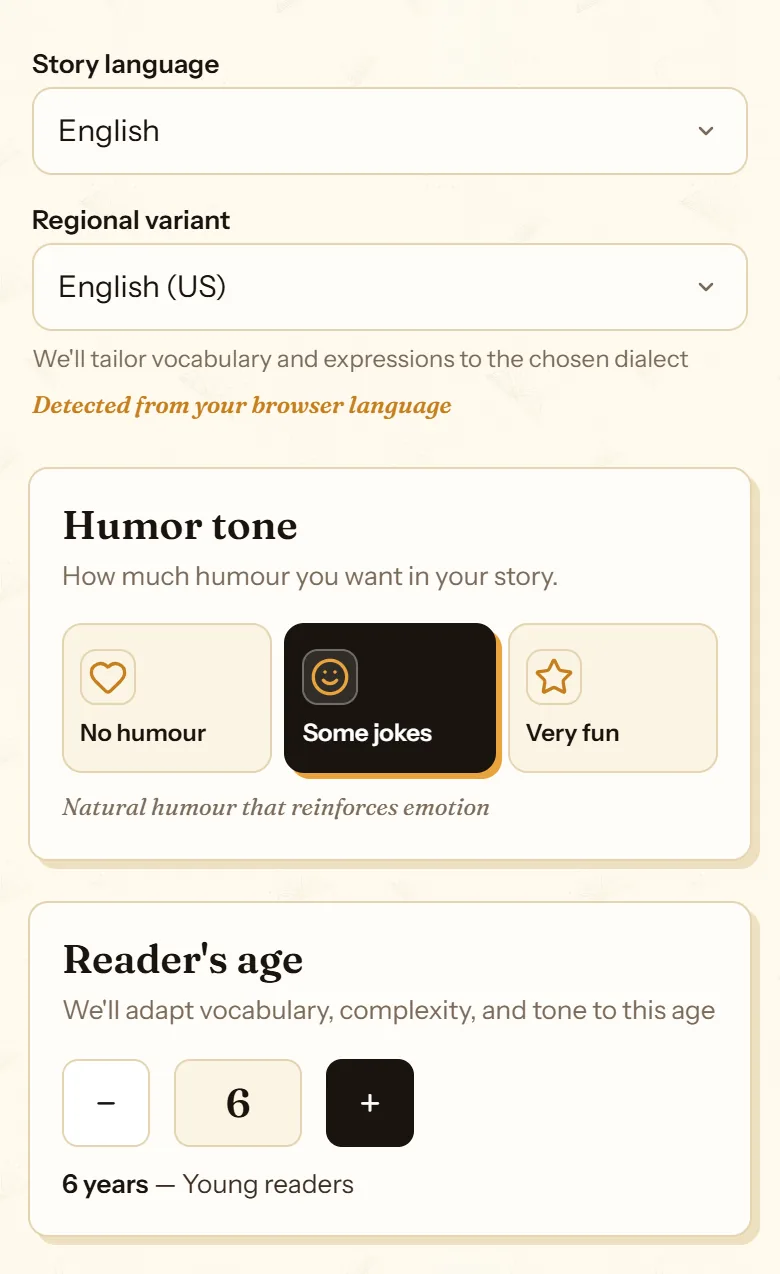
- The story language.
- The regional variant.
- How much humor it has.
- The age of whoever will read it.
Title, author and dedication
These are asked on the /create form, under “Add your personal touch”. The title is optional: leave it blank and the story gets one that fits. The author is the name shown as the writer on the cover. The dedication goes on the first page, and the “Inspire me” button suggests one.
You can change the title later from the editor. The author can’t be changed.
In the free gift story, cuentosIA is the author and there is no dedication: both unlock when you buy a story.
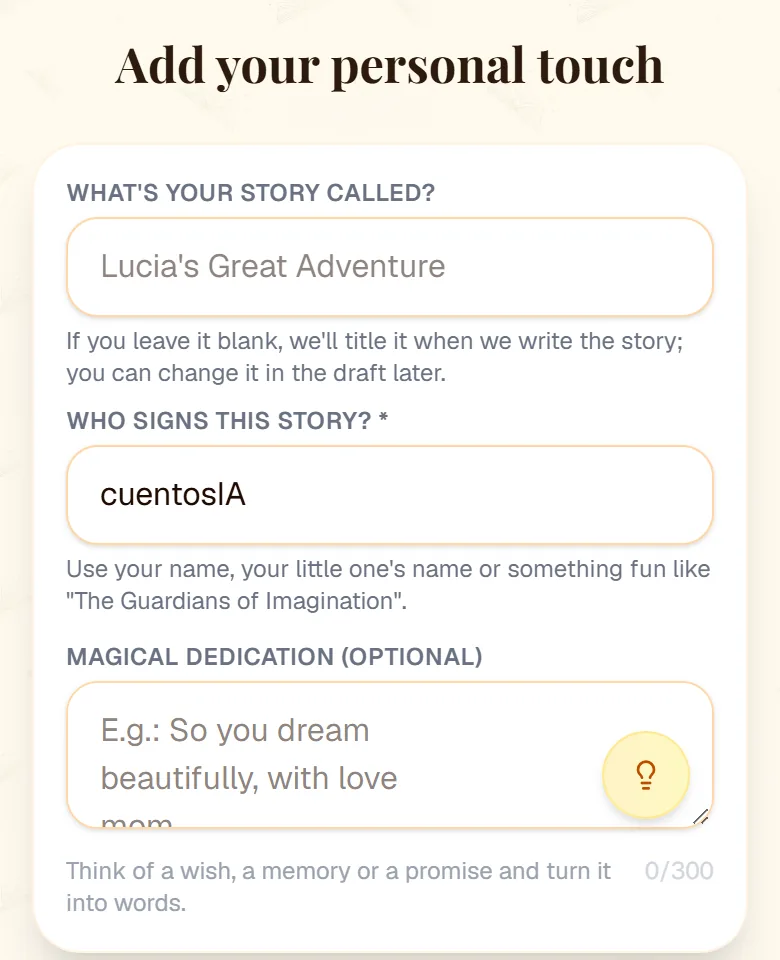
- The title, optional.
- Who signs the story on the cover.
- The dedication on the first page.
- “Inspire me” suggests a dedication.
Frequently asked questions
How much do I need to write?
Three or four sentences make a good story. More detail helps, up to 1,500 characters.
Can I write the whole story myself?
Yes, with the Memoir type: paste your text and choose whether it stays as it is, gets polished or is rewritten. Memoirs: a book in your own words explains how.
Can the story be in Spanish for the grandparents?
Yes. Choose the story language before it is written: there are 10. If you already have the story in English, “Translate to another language” in My stories makes a copy in another language.
Now you know how. Time for yours
All three modes cost the same: one story. If you get stuck on a step, this guide is still here.
Create my storyBack to the guide